


Get 10% Off - Sign up for Auto Pay Before Member Billing June 1
15 May 2026
Sign up for Auto Pay to get 10% off Membership dues for the coming year! ESABA will run Membership Invoicing on June 1. Here's how you sign up for Auto Pay to make renewing as easy as possible for everyone. 10% Off your membership dues will automatically be applied.
Sign-in here: GrowthZone Member Portal https://growthzoneapp.com/auth?ReturnUrl=%2fa
Use the email you gave us for membership.
Then watch this short video that details how to set up Auto Pay or follow the instructions below:
Step 1: Click “My Billing Info” on the left hand navigation pane
- Click “Auto Pay and Billing” tab at the top
- Add your payment profile by clicking the “+”
- You can enter a US Bank account or a credit card
- Click Save
Step 2: Attach this to your membership
- From the “My Billing Info” page (left side navigation pane) click “Manage AutoPay” button on the far right
- Choose whether to include this for “All membership items” which includes voluntary fees like the credit card payment fee OR “Only for required Membership items” which would be just for your members dues.
- You can pay open invoices from this page as well.
- Click Done to Save
- Finally, verify the AutoPay preference by clicking “Yes” in the popup window.
Thank you! Contact Paris with any questions - paris@esaba.org
More Topics

Support Local East Side Youth and highlight your business.
Feedback and Solutions on E7th Construction
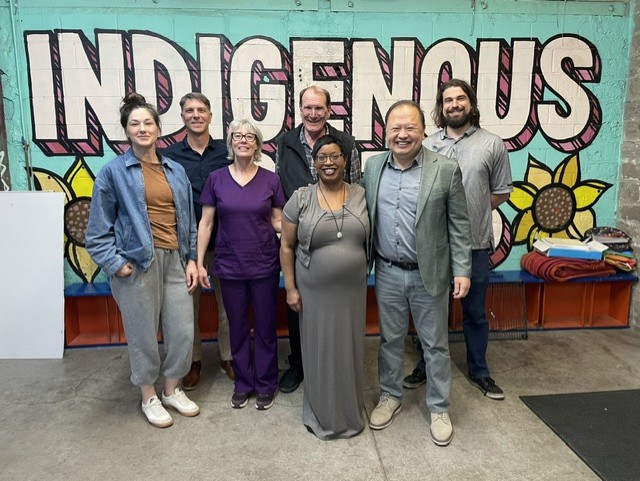
May 11 2026Senator Hawj joined us on E7th Street to hear concerns and talk about solutions to the stress of the disruption. Pictured left to right - Jessica Miller (A Girl & Her Table), Paris Dunning (ESABA), Denise Hamp (Capitol Touch), Jim Erchul (Dayton's Bluff Neighborhood Housing Services, Yolanda Davis (ESABA), Senator...

Highlights from Buy Vocal & Keep It Open E7th
Apr 28 2026Joining our Buy Vocal events is giving you a say in how we help. Our Keep It Open E7th campaign is collecting feedback when we're getting together. These are some of the ideas so far for how we could help attract customers to our businesses. New To You? What deals would help...